iCloud Contacts Sync
Contacts are spread across several iCloud accounts, and the useful views are not always the ones Apple offers. iCloud Contacts Sync keeps every account in sync with a central MariaDB database, sends a birthday digest, and serves a read-only web view for the homelab.
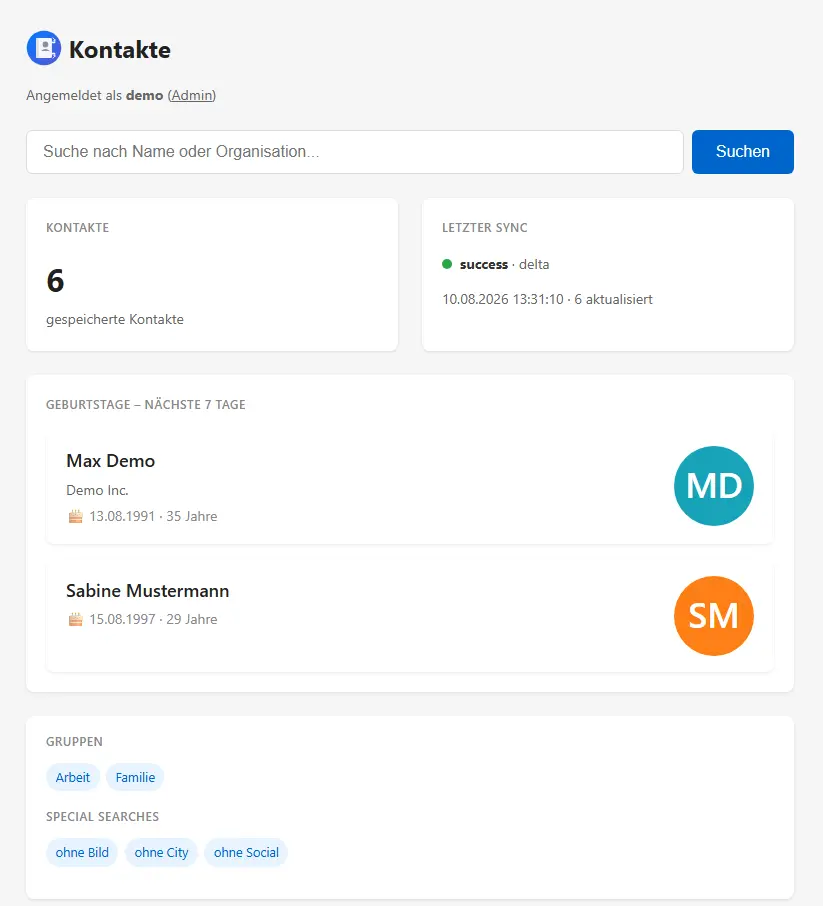
The dashboard shows the latest sync status, upcoming birthdays and a contact overview.
How the sync works
- CardDAV delta sync, the service uses RFC 6578 sync tokens, so regular runs only transfer changes since the previous sync instead of the whole address book.
- Initial full sync, when an account has no stored token yet, the first run imports the complete address book.
- 15-minute cadence, each account is checked every 15 minutes. Every run records upserts and deletes in the sync history.
- MariaDB storage, contacts, groups, sync state and run history live in the central database, not in the container.
Multiple accounts
Each Apple ID gets an entry in a local account file with a unique name, the Apple email address, an app-specific password, the matching Authelia user and an optional birthday mail recipient. Optional per-account settings add a healthcheck URL and a chat sender name for the Chat Archive mapping. The file holds credentials, stays on the host and is mounted into the container read-only.
Birthday digest
- Each account with a configured recipient gets its own HTML email with birthdays and contact links.
- A send log prevents duplicate mails on the same day and keeps a history per account.
- If mail delivery fails, the contact sync continues unaffected and the next run retries.
Web view and API
- A separate API container serves the dashboard, search, contact details and contact groups.
- The API expects a reverse proxy with Authelia forward authentication and only shows contacts for the logged-in user.
- Birthday endpoints expose today and the next N days, and sync-run endpoints show the last 50 runs with status and errors.
- Contact groups are read from the CardDAV group memberships and are available through the web view and API.
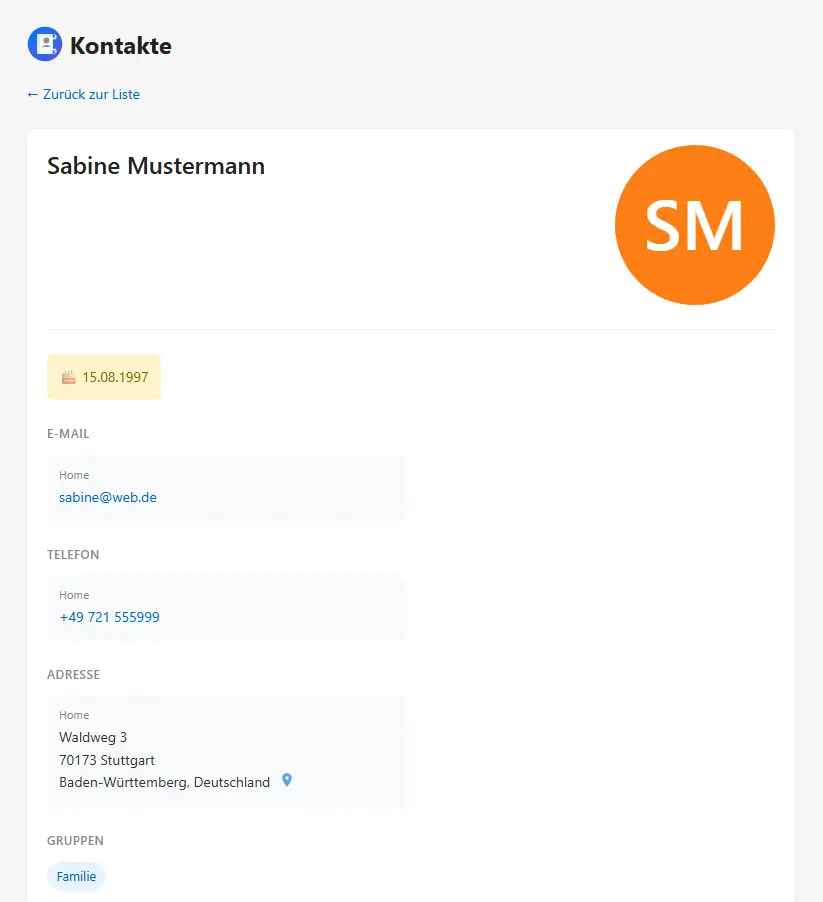
A contact detail page with groups, contact fields and sync metadata.
Chat Archive integration
The web view can optionally connect to Chat Archive. It then shows the most frequent chat partners, links them to matching contacts and displays the message history for a contact. A contact chat can also be exported as Markdown, including contact data and notes.
Deployment and data
The sync and API run as Docker containers from GHCR. MariaDB runs in the central LXC container, and the account file is mounted from the host. CI builds the image and can trigger a Watchtower webhook after a new push. Because the data lives in MariaDB, backups follow the normal database backup path described in the backup strategy.
See the iCloud Contacts Sync repository for the account format, database setup and compose example, and Docker container strategy for the surrounding stack.
Contact data is personal and is not published here. The screenshots use demo data.